Picture of the author
Wave

Managing your event

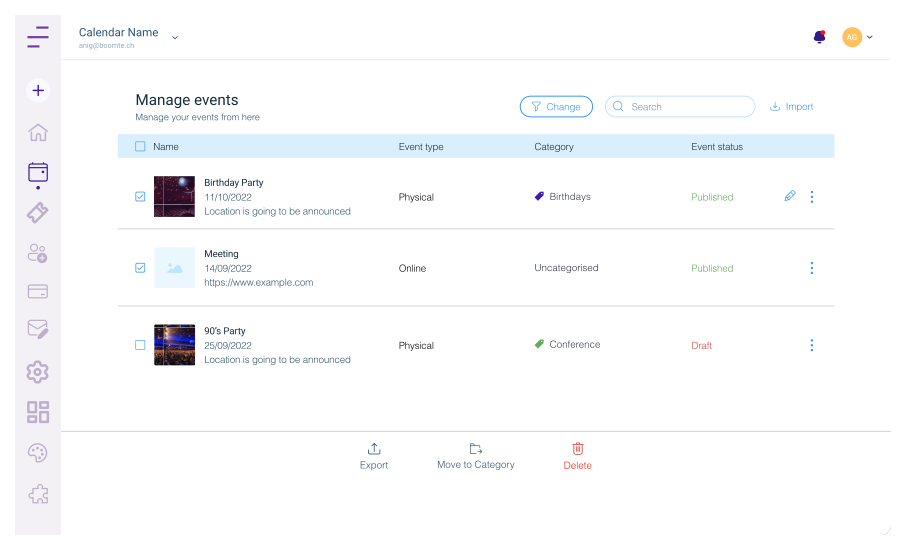
Easily view and manage your upcoming events, including creating new events, editing existing ones, and viewing event details, all in one convenient location.

Integrations
Event Details

Event Details

Event Details

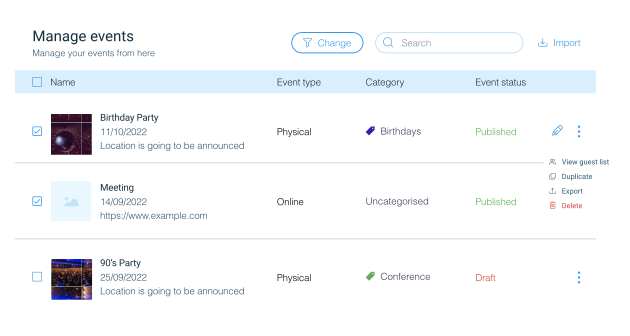
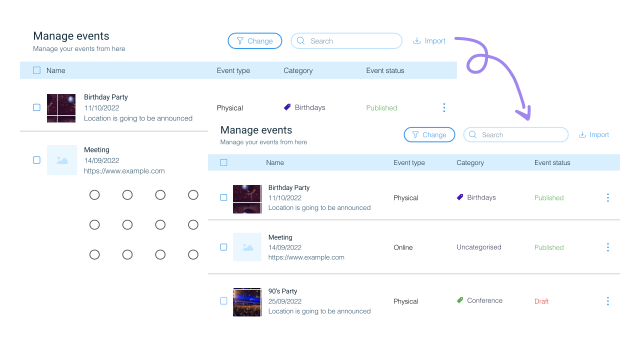
Here, you can view an overview of all events created, with basic details such as event name, start/end date and time, category, and so on. Additionally, you can perform basic actions such as Edit, Duplicate, Export and Delete the event.
Group Events into Categories

Group Events into Categories

Group Events into Categories

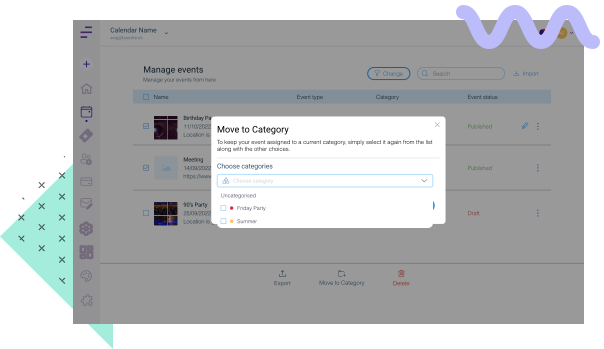
With our simple and intuitive manage events section, you can easily organize your events into different categories as needed.

This is a great way to stay on top of your upcoming events and quickly find the ones you need without having to search through all of them. You can also move your events between different categories with ease.

Import Events to Your Calendar

Import Events to Your Calendar

Import Events to Your Calendar

Easily import events to your calendar by uploading CSV and ICS files.


Quickly add new events or bulk import events to save time and get organized quickly.

Guest list

Guest list

Guest list

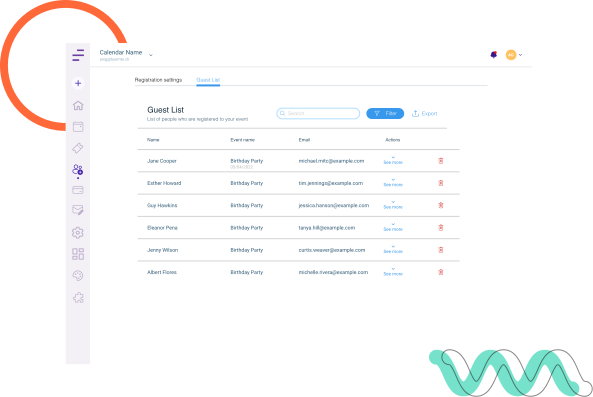
After registration in the guest list you can see your registered guests.


If you want to see who is coming to your event, click on the manage events -> registered and then click on “Guest List”.


Here you can have the whole list of your guest and even export your guest list.

Manage your event easily with Ewents